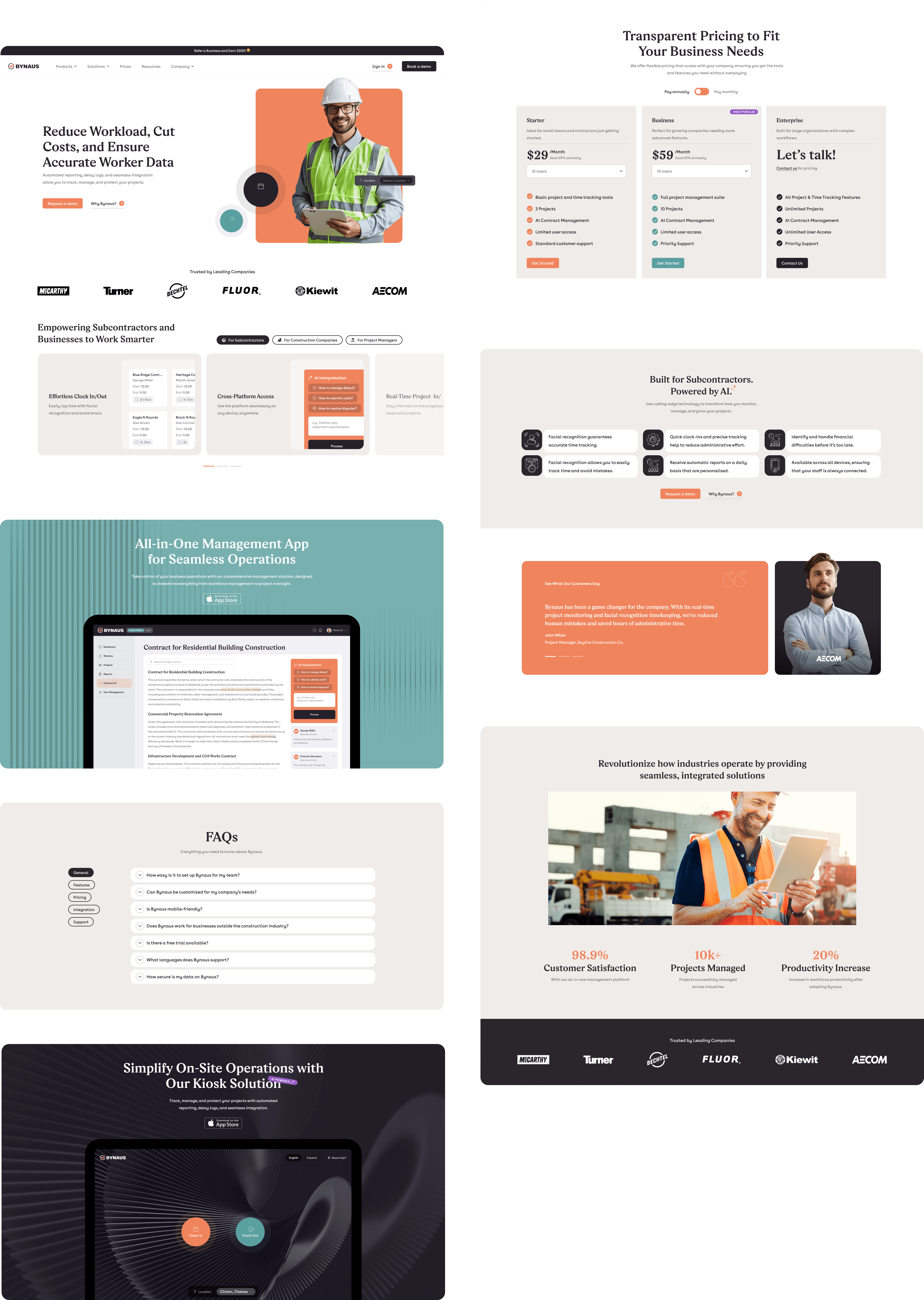

Bynaus is an innovative company improving time management across construction projects. I was responsible for UX research, information architecture, wireframing, and high-fidelity UI design for their new mobile and desktop apps. The goal was to create an intuitive, accurate, and efficient time-tracking tool tailored to the realities of construction work.
The Challenge
Construction teams often struggle with inaccurate time tracking, unclear planning, and inconsistent reporting. These inefficiencies directly affect costs, project timelines, and profitability.
Bynaus needed a platform that simplified on-site time logging, reduced manual errors, and provided real-time visibility for managers. The challenge was to design a tool powerful enough for managers, yet simple enough for field workers using it in fast-paced, high-pressure environments.
Research & Discovery
I conducted a combination of user interviews, competitor analysis, and a heuristic review of existing workflows to understand the problems faced by construction professionals.
Key insights included:
- Field workers needed rapid, low-friction time logging, often with gloves, limited attention, or unstable connectivity.
- Managers struggled with inaccurate or incomplete data, making planning and cost control difficult.
- Many existing tools were cluttered, non-intuitive, or required long training periods.
- Teams wanted cross-device continuity, being able to start tasks on mobile and manage them on desktop.
These insights shaped the fundamentals of the product: speed, clarity, and error-free data capture.
UX Strategy
Using the research outcomes, I defined clear user groups and mapped their needs into a unified UX strategy.
Personas included:
- Field Worker: needs quick, reliable time entry with as few steps as possible.
- Site Manager: needs visibility into daily activity, project progress, and team performance.
- Project Director: needs aggregated insights for financial and timeline decisions.
User journey mapping revealed several friction points in typical workflows: onboarding, switching tasks, reviewing logged hours, and submitting reports. These moments guided structural decisions for navigation, hierarchy, and interactions.
Core UX goals:
- Drastically reduce time to log activities
- Increase accuracy of captured data
- Improve clarity and transparency across teams
- Support both mobile-first workflows and desktop analytics
Information Architecture
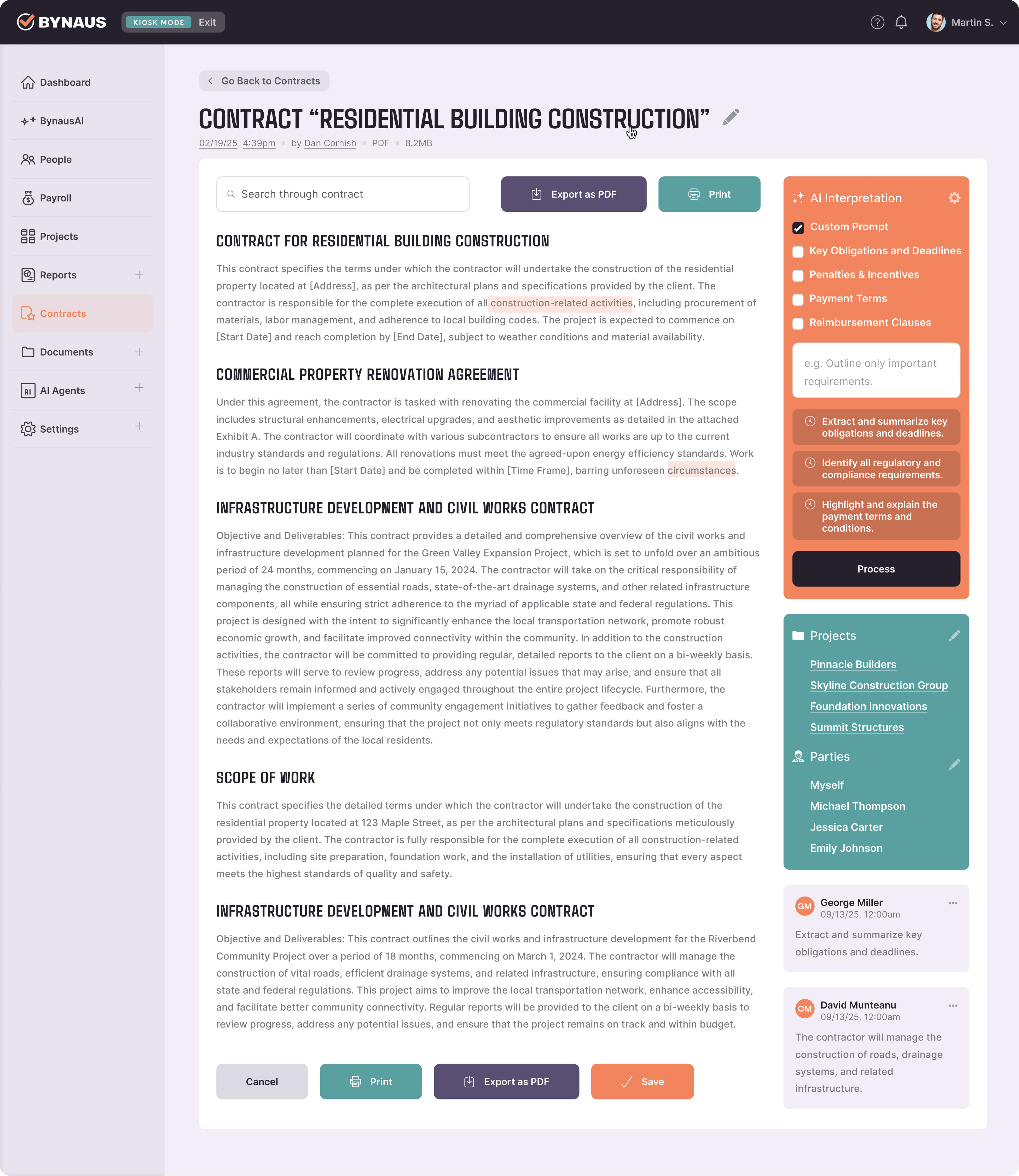
I created a clear, three-tier structure separating task logging, project management, and data analytics.
This organisation reduced cognitive load and ensured that each user segment could quickly access what they needed.
Key decisions included:
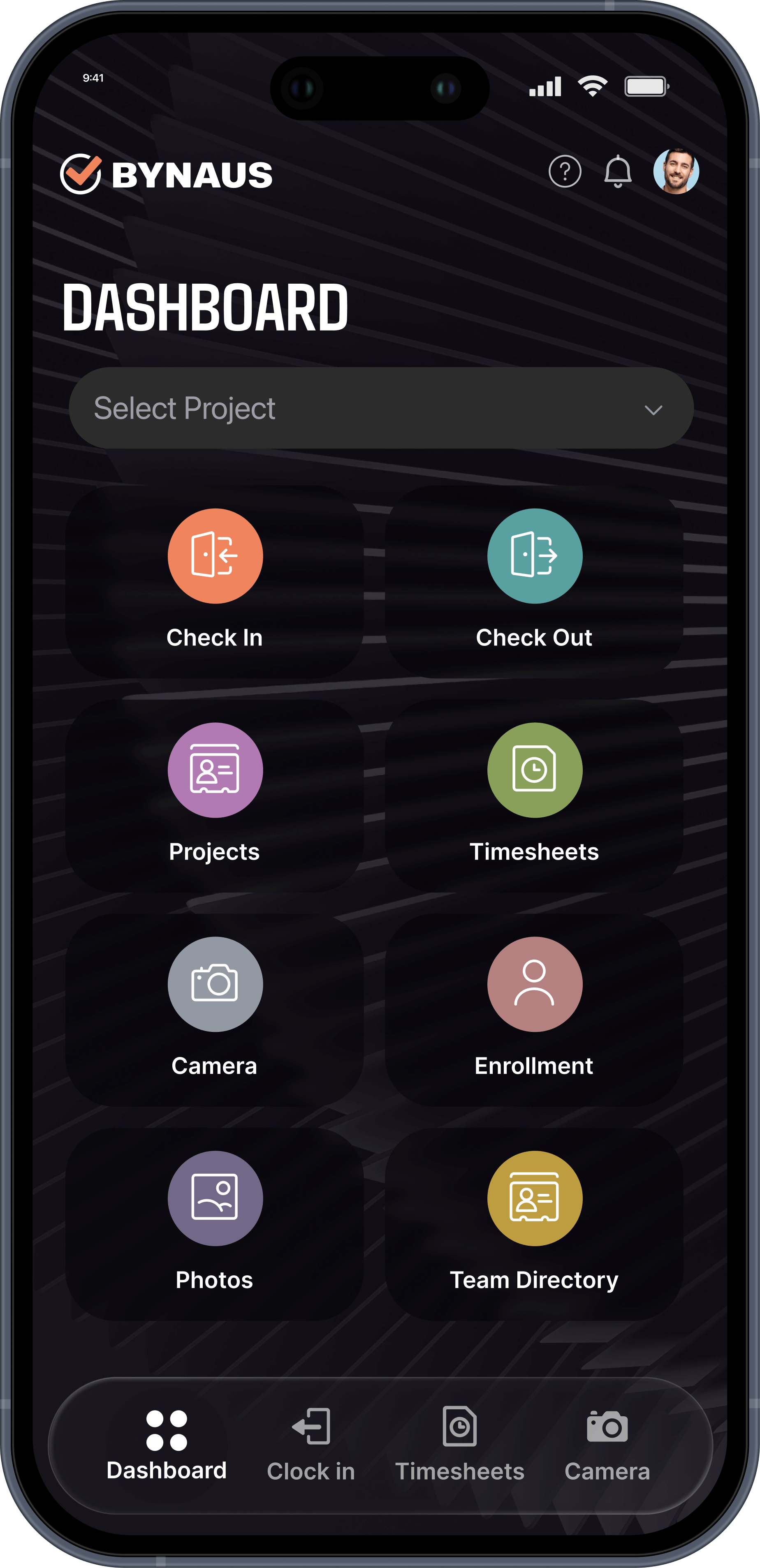
- A simplified global navigation for mobile to support one-handed use
- Consistent naming conventions and grouping of actions
- Using progressive disclosure to avoid overwhelming users
Wireframes
Low-fidelity wireframes allowed rapid iteration on core flows: start/end time tracking, editing logs, managing crew assignments, and reviewing daily summaries.
The focus remained on clarity, spacing, and reducing steps in high-frequency tasks.
Visual Design & UI Decisions
The high-fidelity designs were created in Figma, blending functionality with Bynaus’ modern, tech-forward brand.
Key UI decisions included:
- High contrast and bold typography for readability in outdoor environments
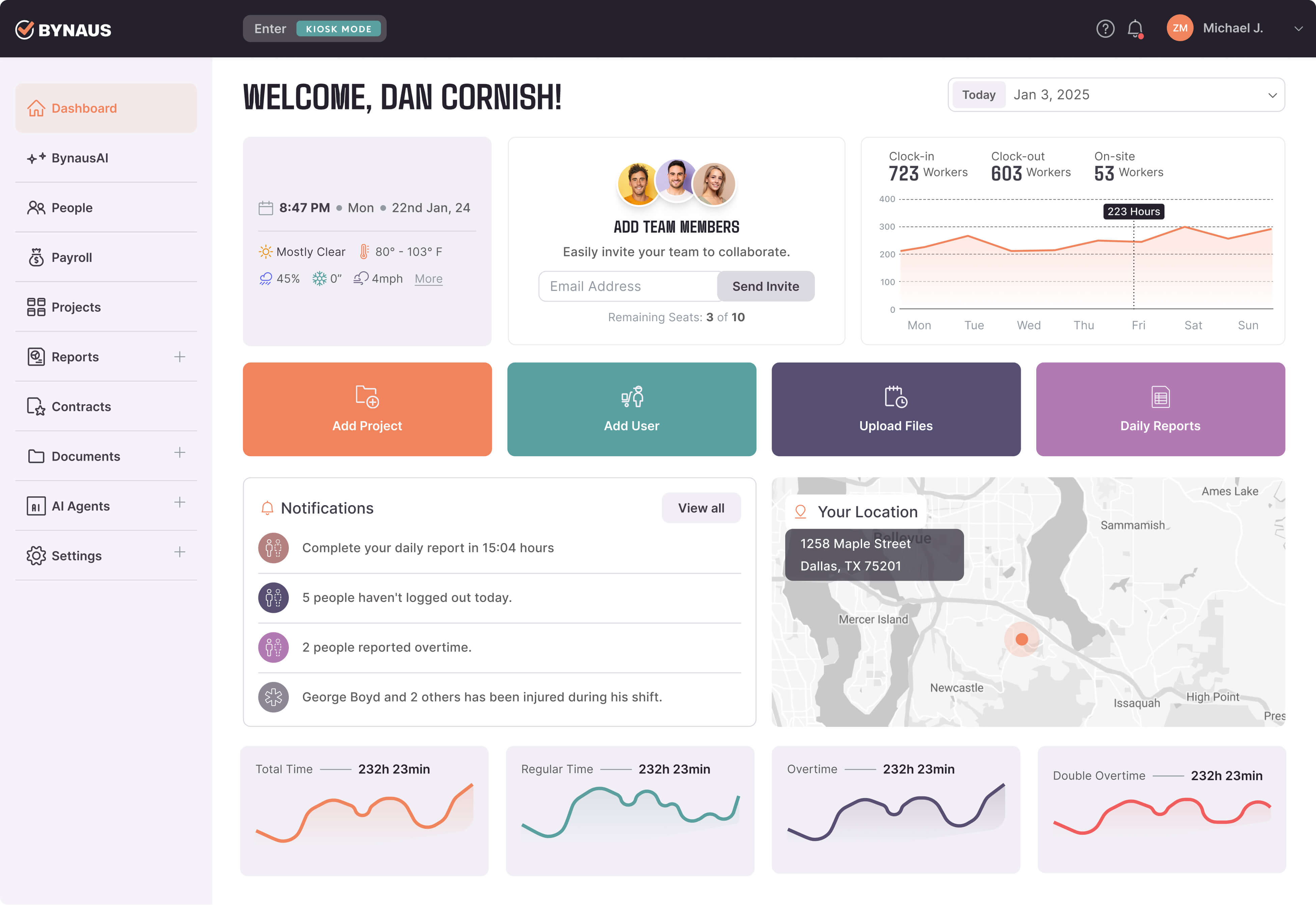
- Modular card layouts for easy scanning of data
- Clear colour coding for task statuses and logged hours<
- Visual consistency across mobile and desktop to reduce learning effort
Accessibility Decisions
Accessibility guided many interaction choices:
- Large tap targets for on-site use
- Strong visual contrast for sunlit conditions
- Minimal reliance on fine motor precision
- Text hierarchy supporting quick scanning
- Simplified forms to reduce input time
Interaction Design & Micro-interactions
Micro-interactions improved clarity and reduced user errors:
- Inline validation for time entries
- Subtle feedback animations confirming successful logs
- Smart defaults (e.g., auto-selecting most frequent tasks)
- Smooth transitions to support focus and reduce context switching
Key Features & Solutions
- Fast Time Logging
Problem: Field workers needed to log hours quickly, often in challenging environments.
Design Solution: A one-tap “Start Task” action with pre-configured activity shortcuts.
Benefit: Reduced task-logging time and minimized error potential. - Project Overview Dashboard
Problem: Managers lacked a clear bird’s-eye view of daily performance.
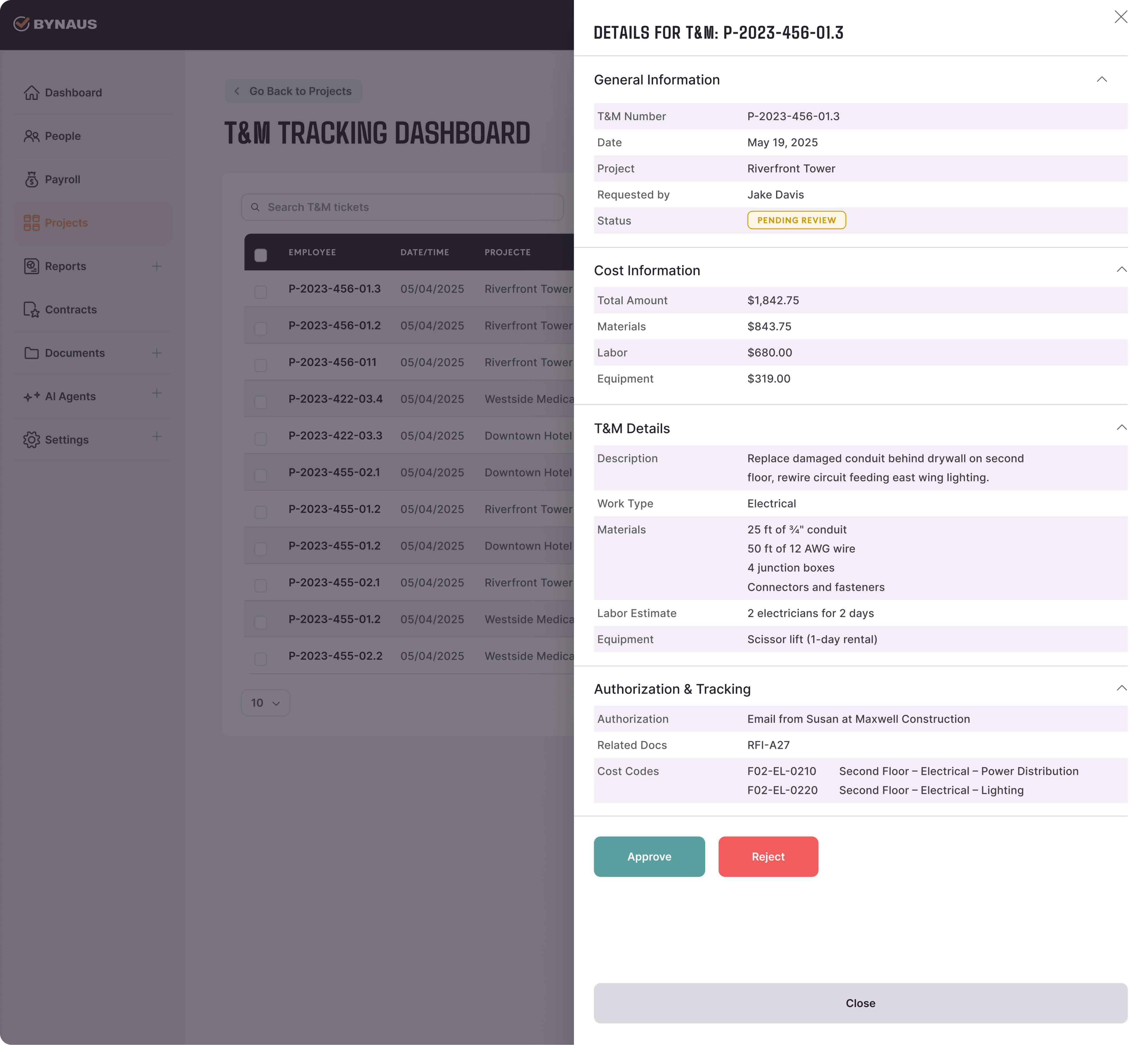
Design Solution: A clean dashboard showing team activity, hours logged, and project progress.
Benefit: Improved decision-making and better on-site coordination. - Cross-Device Continuity
Problem: Users frequently switched between mobile and desktop.
Design Solution: Consistent design patterns and synced states across devices.
Benefit: Seamless workflow and reduced re-entry of information. - Data Analytics & Reporting
Problem: Directors needed quick access to accurate, actionable data.
Design Solution: A structured analytics section with filters, charts, and export options.
Benefit: Easier cost control, planning, and reporting accuracy.
Final Design
The final product is a clean, intuitive system that supports both on-site workers and managers.
It removes complexity, guides actions clearly, and presents data in a structured, meaningful way.
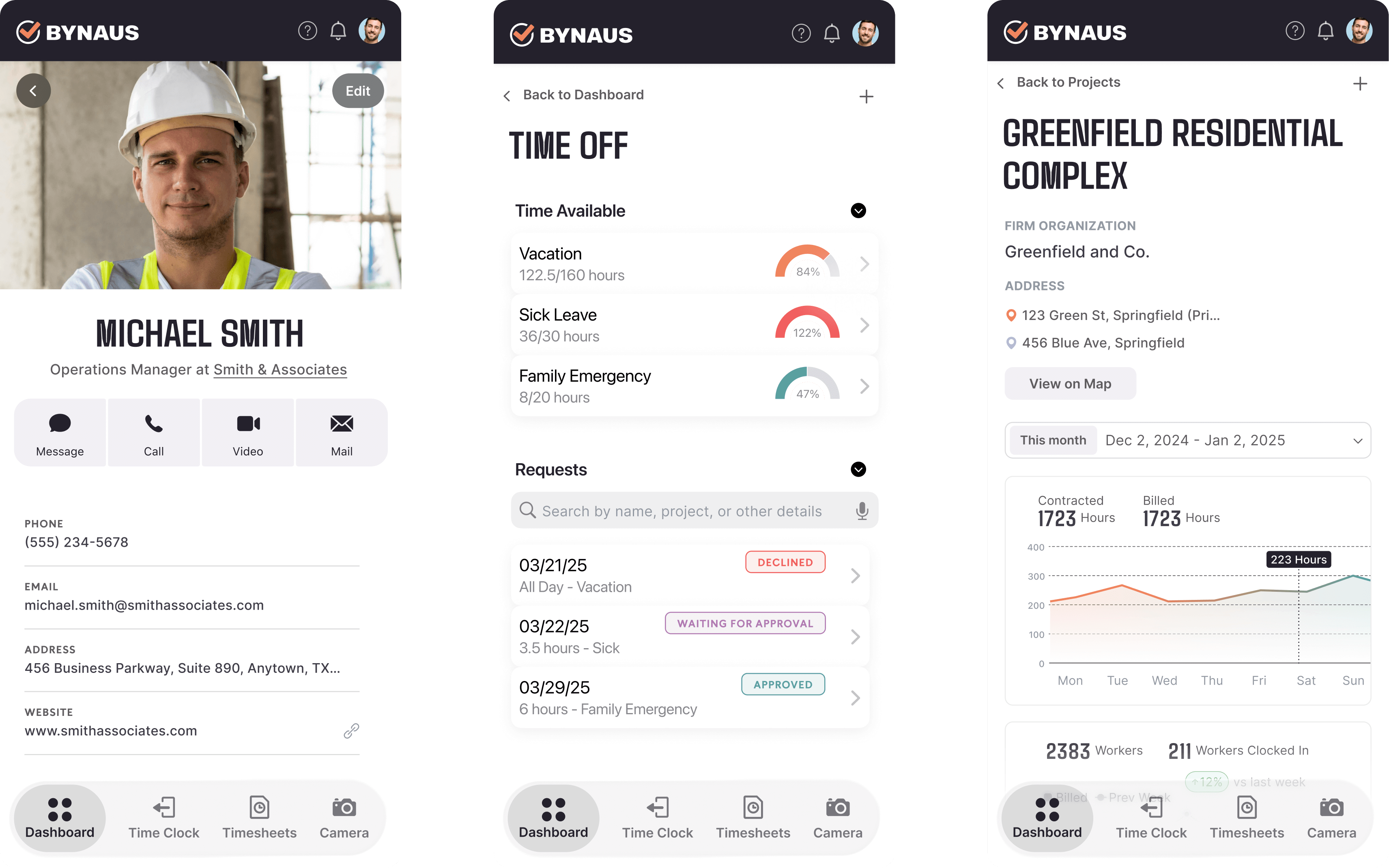
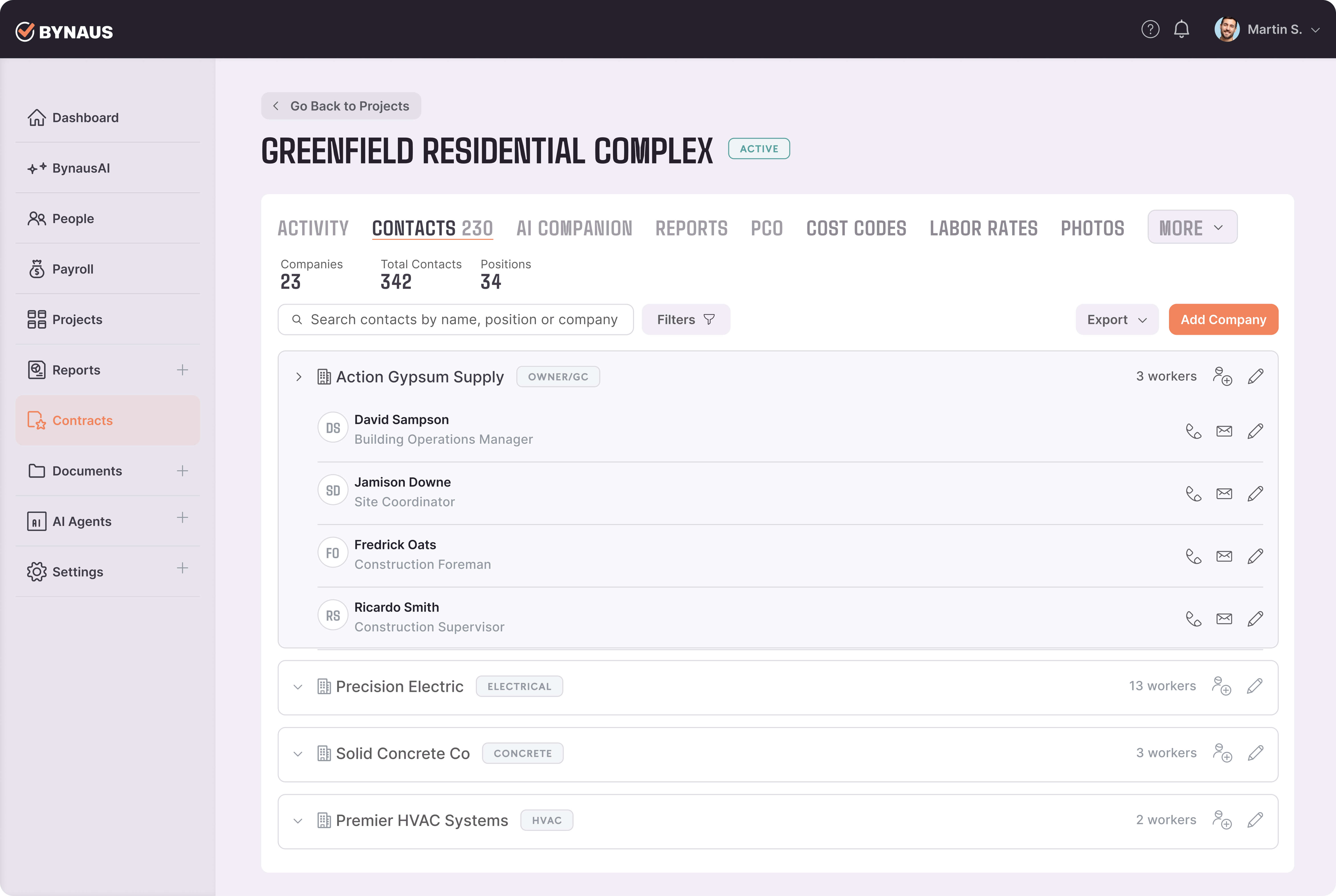
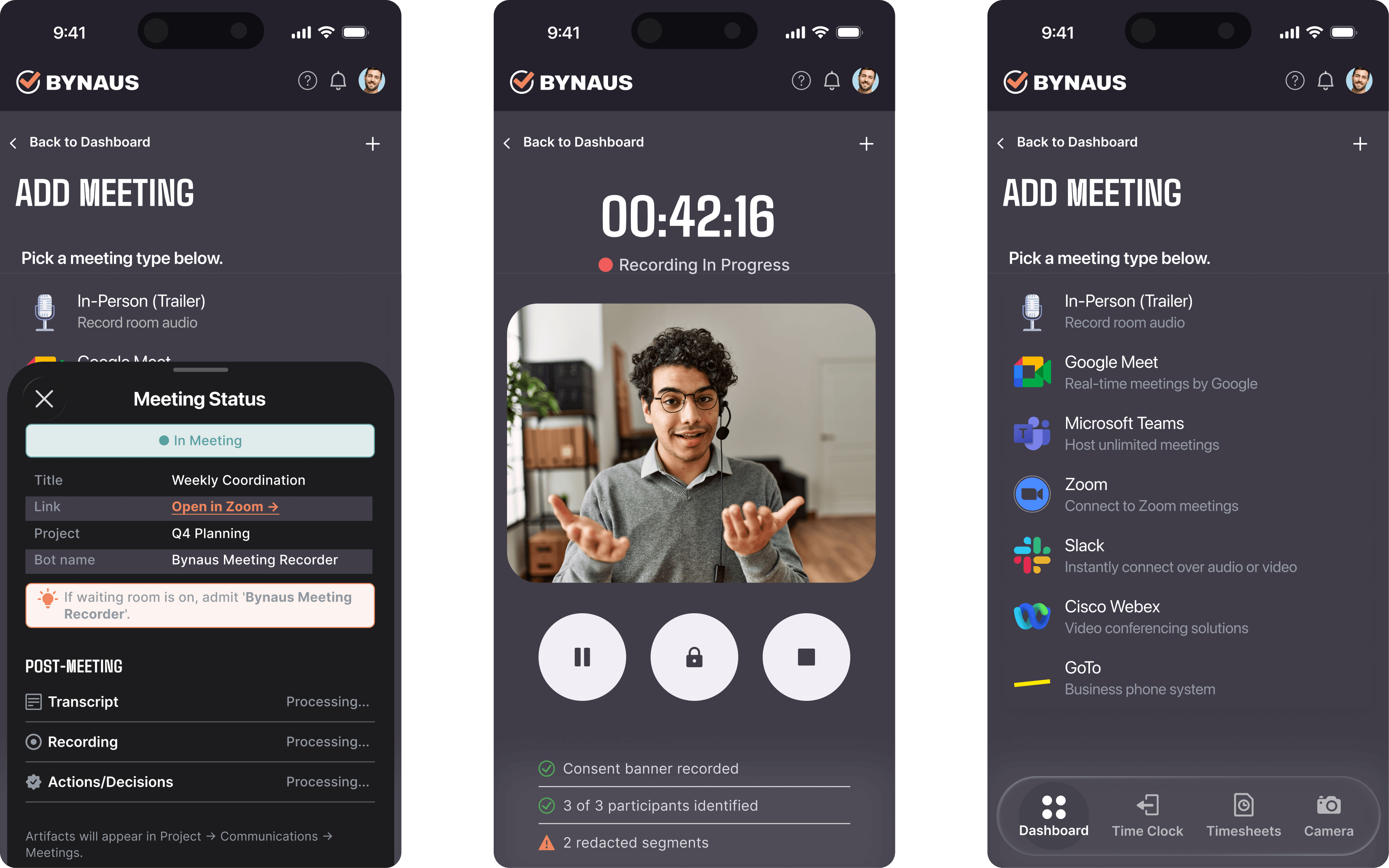
The mobile app enables fast, reliable time tracking, while the desktop platform supports deeper project insights and analytics. Every interface is built to reduce friction and empower confident decision-making.
Impact & Results
The redesigned Bynaus apps significantly improved the overall user experience.
Outcomes included:
- Increased user engagement and satisfaction
- Faster, more accurate data capture
- Streamlined project management workflows
- Clearer insights contributing to improved profitability